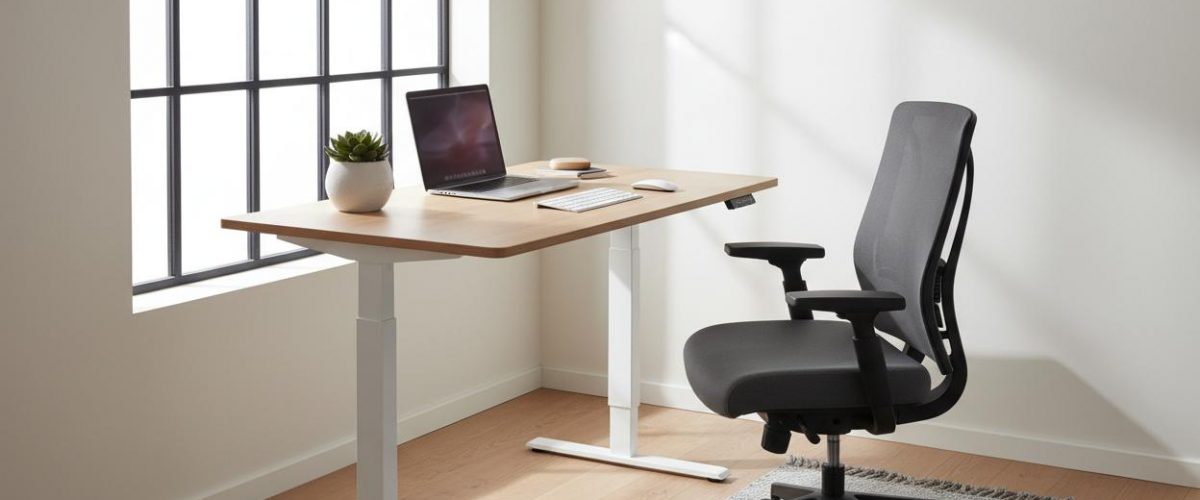
Standing desks have moved from Silicon Valley novelty to office standard, and the research supports why. Prolonged sitting is associated with increased risk of cardiovascular disease, type 2 diabetes, musculoskeletal pain, and all-cause mortality independent of exercise. A standing desk is not a panacea, but it is one of the most effective interventions for reducing sedentary time and improving workday health. This guide covers what to look for, how to set up your desk correctly, and the best models at every price point.
The Science: Why Sitting Too Long Is Harmful
A 2012 meta-analysis in Diabetologia found that adults who sit for more than 8 hours per day have a 90% increased risk of type 2 diabetes and a 147% increased risk of cardiovascular events compared to those who sit less than 4 hours, even after controlling for exercise. The mechanism is metabolic. Large muscle groups deactivate when sitting, which reduces glucose uptake and lipoprotein lipase activity, the enzyme that breaks down fats.
Standing activates these muscles, improves insulin sensitivity, and increases caloric expenditure by roughly 8 to 10 calories per hour compared to sitting. Over a full workday, this adds up to 60 to 80 extra calories burned. More importantly, standing encourages movement. People with standing desks take 40% more steps during the workday than those with sitting desks.
What the Research Says About Standing Desks
A 2021 systematic review in the Journal of Physical Activity and Health analyzed 28 studies on standing desks and found consistent evidence for reduced sitting time, decreased lower back discomfort, and improved energy levels. The effect on productivity was neutral to slightly positive. No studies found reduced work performance with standing desk use.
Importantly, standing all day is not the goal. The optimal pattern is alternating between sitting and standing every 30 to 60 minutes. This reduces the fatigue that comes from prolonged standing while preserving the metabolic benefits.
Key Features to Look For
Height Range
The desk must adjust low enough for comfortable seated work and high enough for your elbows to be at 90 degrees when standing. Most electric desks accommodate users from 5’0 to 6’6, but verify the specific range if you are outside these heights.
Stability at Height
A common complaint with budget standing desks is wobble at full extension. Look for desks with crossbar supports or three-stage legs, which provide significantly more lateral stability than two-stage designs. If you type heavily or use multiple monitors, stability is worth the extra cost.
Weight Capacity
Account for your monitors, monitor arms, desktop computer, and anything else you place on the desk. A 150-pound capacity is adequate for most single-monitor setups. Dual monitor users should look for 200 pounds or more.
Speed and Noise
Electric desks vary from 0.8 to 2.5 inches per second of adjustment speed. Faster is better if you alternate frequently. Noise levels range from 40 to 65 decibels. Below 50 decibels is quiet enough for shared offices.
Top Picks by Category
Best Overall: Uplift V2
The Uplift V2 offers a best-in-class stability range, 355-pound capacity, 7-year warranty, and a wide selection of desktop materials and sizes. The three-stage legs provide minimal wobble even at maximum height. Available with memory presets for quick height switching.
Best Budget: Flexispot E7 Pro
At roughly half the price of premium desks, the Flexispot E7 Pro delivers adequate stability for most users, 220-pound capacity, and reliable dual-motor performance. The trade-off is slightly more wobble at maximum height and a shorter 5-year warranty.
Best for Small Spaces: Fully Jarvis Compact
The Jarvis Compact offers a 30 by 24 inch desktop option that fits in apartments and small offices without sacrificing the full height range and stability of the standard Jarvis. The corner desk configuration is also excellent for maximizing workspace.
Best Converter: Ergotron WorkFit-TX
If you cannot replace your existing desk, a converter sits on top and raises your monitor and keyboard together. The WorkFit-TX is the most stable converter available, with a 40-pound capacity and smooth vertical adjustment. It requires no installation.
Proper Ergonomic Setup
A standing desk used incorrectly can cause as many problems as it solves. Follow these rules:
- Monitor at eye level. The top of your screen should be at or slightly below eye level. Use a monitor arm for precise positioning.
- Keyboard at elbow height. Your forearms should be parallel to the floor when typing.
- Feet flat, weight distributed. Use an anti-fatigue mat to reduce foot and leg strain.
- Alternate positions. Stand for 30 to 60 minutes, then sit for 30 to 60 minutes. Set a timer until it becomes habitual.
- Wear supportive shoes. Avoid high heels or unsupportive flats when standing.
Bottom Line
A standing desk is one of the highest-impact health upgrades you can make to your workspace. The research on reduced sitting time, improved metabolic markers, and decreased back pain is robust. Choose a desk with adequate stability and height range for your setup, alternate between sitting and standing throughout the day, and use proper ergonomic positioning. Your body will thank you within the first week.
Recommended Standing Desk Products
Best Overall Standing Desk
Industry-leading stability with 355-pound weight capacity and 7-year warranty. Three-stage legs provide minimal wobble even at maximum height. Available in multiple desktop sizes and materials. Memory keypad allows one-touch switching between sitting and standing heights.
Anti-Fatigue Mat
Topo Comfort Mat by Ergodriven
Not-flat anti-fatigue mat with calculated terrain that encourages subconscious movement and stretching while standing. The varied surface reduces leg and foot fatigue compared to flat mats. Users report being able to stand 30-40% longer with the Topo.
Monitor Arm
Ergotron LX Single Monitor Arm
Premium monitor arm with 20-inch height adjustment range, supporting monitors up to 34 inches and 25 pounds. The constant force spring technology allows effortless repositioning. Essential for maintaining proper ergonomics when switching between sitting and standing heights.
Recommended Standing Desk Products
Best Overall Standing Desk
Industry-leading stability with 355-pound weight capacity and 7-year warranty. Three-stage legs provide minimal wobble even at maximum height. Memory keypad allows one-touch switching between sitting and standing heights.
Anti-Fatigue Mat
Topo Comfort Mat by Ergodriven
Not-flat anti-fatigue mat with calculated terrain that encourages subconscious movement and stretching while standing. Users report being able to stand 30-40% longer.